remorvi

How it works
Drop a photo or video as a file, no compression.
Strip AI traces and “AI-made” labels, apply real camera data, set any place and time.
The file looks shot on a phone. No quality loss.
Your file doesn't stay with us
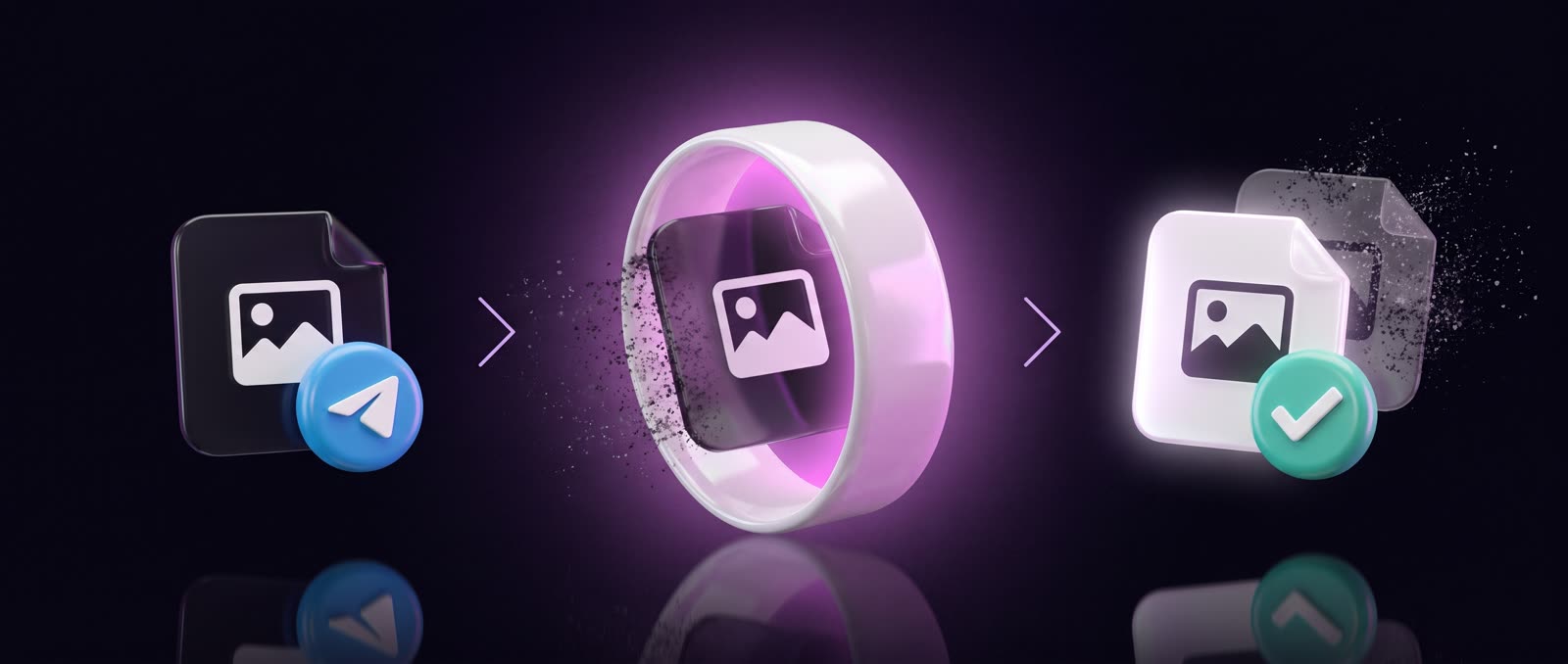
We store nothingYou send a file → processing → you get it back → it’s deleted from the server

What platforms find in an untouched file
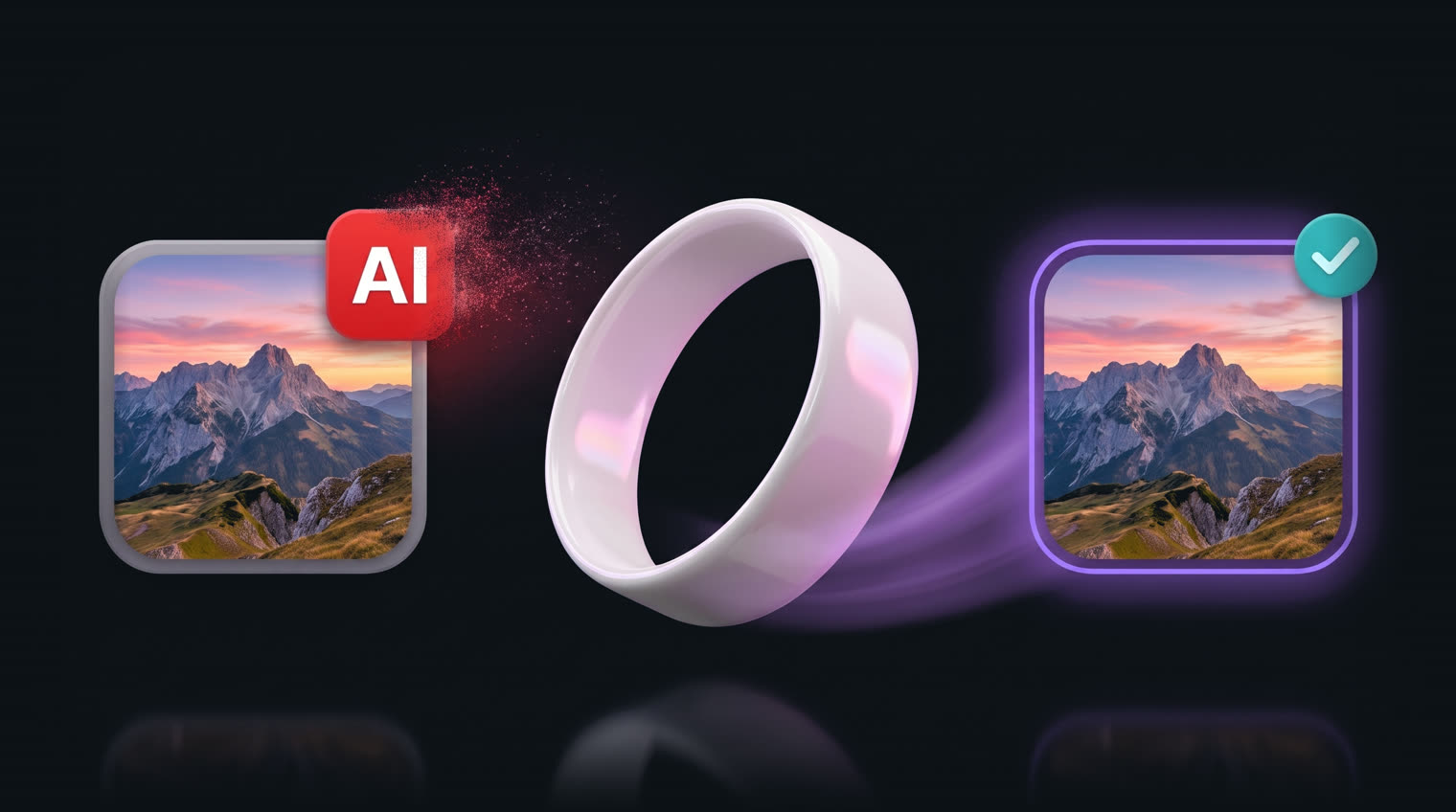
Instagram, TikTok and YouTube read the file on upload. Find an AI trace – they slap on an “AI-made” label: non-removable, visible to every follower.
| Trace in the file | Threads | TikTok | YouTube | X | |
|---|---|---|---|---|---|
| Hidden AI signaturethe file itself says it’s AI-made | they add a label | they add a label | they add a label | they add a label | may label |
| “AI-made” tagleft by neural nets and photo editors | they add a label | they add a label | they add a label | may label | may label |
| Generator name in file infoMidjourney, Sora, Gemini/Nano Banana, GPT, Kling, Seedance | may label | may label | may label | may label | just remove it |
| Geo and serial of the original fileleft behind by photo editors – the platform reads them first | read, then removed | read, then removed | read, then removed | read, then removed | read, then removed |
| A file with no camera data at allwhat online cleaners and screenshots leave behind | gets through under suspicion | gets through under suspicion | gets through under suspicion | gets through under suspicion | passes fine |
| Your file after remorvireal camera data, no traces left | clean | clean | clean | clean | clean |
Swipe the table sideways →
What it does
Real camera data your device profile – 200+ parameters from your own shot or one of 30+ presets: iPhone, Samsung, Ray-Ban Meta. Something a browser cleaner can't do
Not a trace of AI we strip AI markers and suspicious metadata – nothing for platforms to flag
Photo and video JPEG, PNG, HEIC, MP4, MOV, no re-encoding
Any location and time content looks shot wherever you want
Batch up to 20 files of any size at once
RU / EN the bot speaks both
8,400+ people have processed 38,235 files with remorvi
How it looks
What users say
I used to get the label on this kind of content all the time. After processing in Remorvi, my second video already goes out without a label. Still watching the reach, but just the fact that the badge stopped showing up already makes me happy.
– Calm CatUploaded a photo to Instagram while sitting on mobile internet in Ukraine. Set the post geo to the US because I picked Florida in the bot – Instagram read it just fine and even showed I was about 0.5 km from the location. Looks very realistic.
– Clever FoxUploaded 9 videos in a row like this – you can see the geo on the screenshots. It really helped me set up the audience geo on two different accounts: on the fresh one the audience went to the US and Korea from the very first video.
– Playful Dog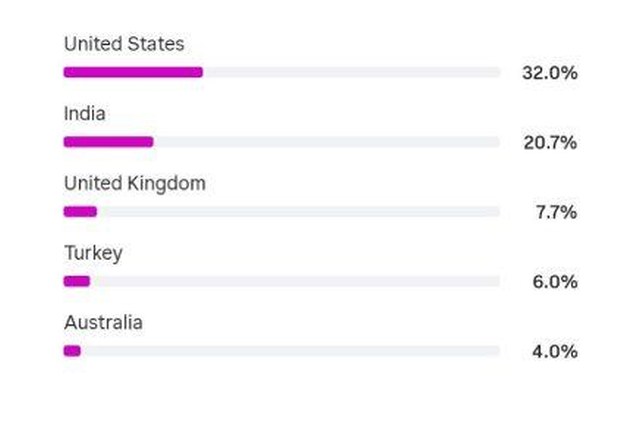
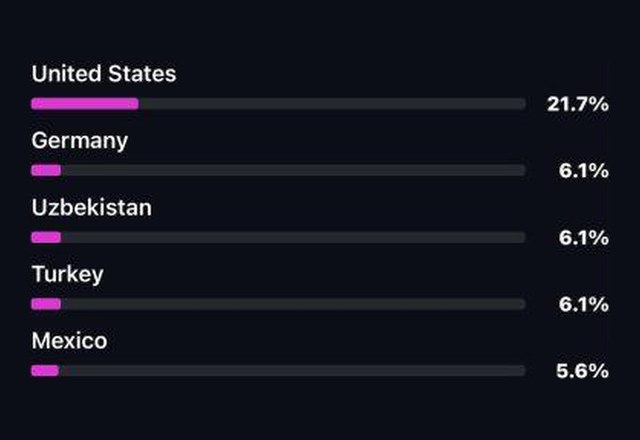
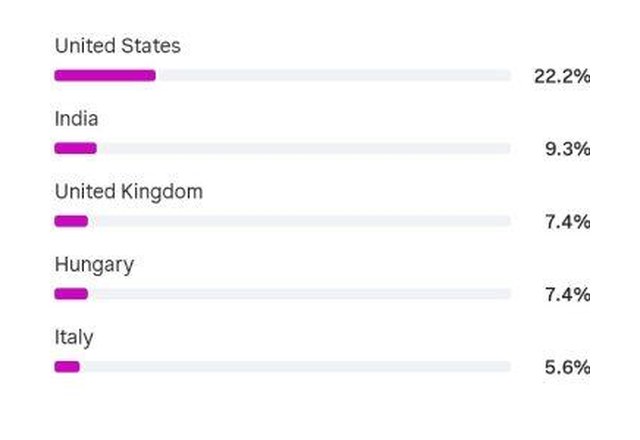
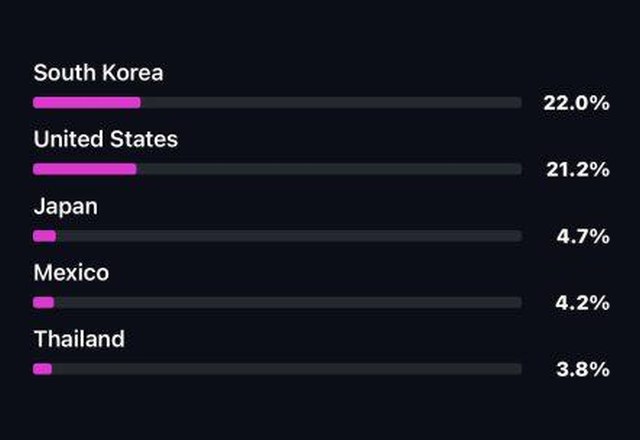
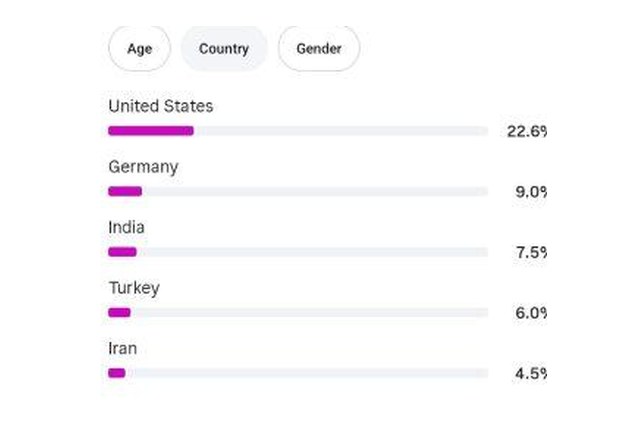
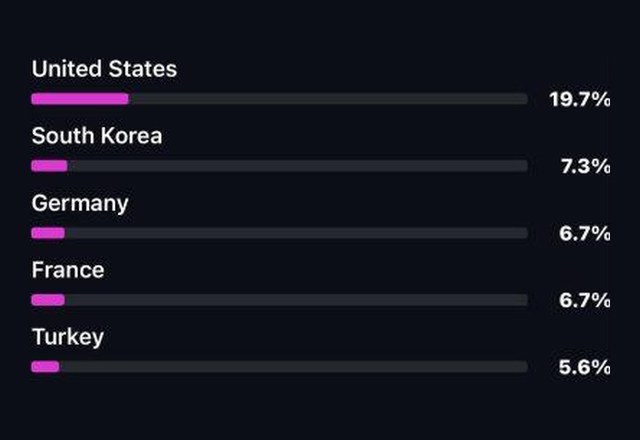
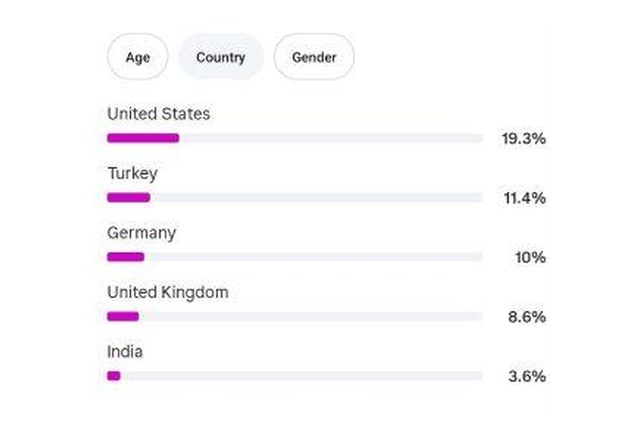
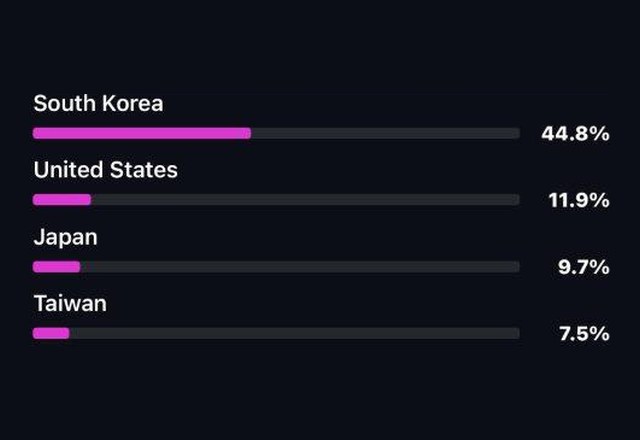
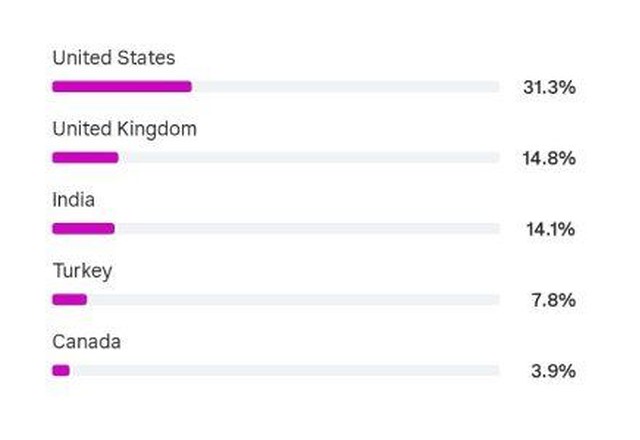
Reviews from our Telegram communityStories from real @remorvibot users – the geo is right there in their screenshots

Common questions
Will the photo or video look different?
No. The image itself doesn’t change by a single pixel: we only work with the service data inside the file. Quality stays untouched.
Where does the real camera data come from?
From a device profile: send your own shot and remorvi builds your camera’s profile from it. Or pick one of 30+ ready-made presets: iPhone, Samsung, Ray-Ban Meta and more.
What happens to my files?
You send a file → processing → you get it back → it’s deleted from the server. We store nothing and share nothing.
Which formats are supported?
Photo: JPEG, PNG, HEIC. Video: MP4, MOV. Send it as a file (📎 → “File”, not “Photo”) – otherwise Telegram compresses it on upload.
How much does it cost?
New users get 3 days of Unlimited free, with every feature. Then two plans: Free (1 file a day) or Unlimited at 899 ₽/mo.
What’s next
What we’re buildingTo make prepping content for posting even easier

- SoonCheck right in the browser
See what platforms will find in your file before you post – the file stays on your device.
- PlannedOpen library
The engine that finds AI traces in a file – we’ll open-source it.
- PlannedOpen platform rules
A table: what earns an “AI-made” label, a shadow zone, cut reach or a ban.